 Instagram
You wake up to zero new subs, frozen payouts, or a login error. Your heart drops. Did Fanvue just ban you overnight?
Fanvue is the safest platform for AI creators in 2025 – no random OnlyFans-style bans.
But their strict rules (driven by global laws on age and consent) catch even small mistakes like a teddy bear in the background, regardless of the effort you took to create AI model for Fanvue with high-quality tools.
One wrong photo and your account is under review, suspended, or gone – freezing $1k–$10k+ in earnings and leading creators to ask is Fanvue legit for long-term business.
This guide shows you:
- The exact signs you’re banned (before it’s too late)
- Common reasons (teddy bear rule, flat-chested AI, etc.)
- What to do immediately if it happens
- How to prevent it forever with specific Fanvue tips (and keep earning $30k+/month)
Don’t panic. Most bans are fixable in 24–72 hours if you act right. Let’s spot the red flags and get you back online.
1. Signs You’re Banned on Fanvue (The Red Flags to Watch For)
Fanvue does not always send a direct “you’re banned” email. They start with soft warnings, then escalate to restrictions.
Spotting the early signs lets you fix it before it becomes permanent – saving your account and earnings, which is critical after you decide to become Fanvue creator.
Subtle Early Warnings (Review Stage)
- “Your media is under review” notification: This pops up right after uploading. Your content freezes until moderators check it (usually 1–3 days). If multiple posts flag, you need a specific Fanvue media under review fix before your whole feed goes dark.
- Sudden drop in engagement: Likes, views, and new subs halt overnight. The algorithm hides your page from Discovery and searches.
- Payouts on hold: Earnings show as “pending review” in your dashboard. No withdrawal button appears, even at $100+, causing anxiety about how Fanvue appears on the bank statement if refunds occur.
Full Suspension Signs
- Login blocked: You see “Account restricted” or “Access denied” with a prompt to email support. This locks you out of posting, chatting, or viewing stats.
- No dashboard access: You can log in but see a lock icon – can’t upload, message fans, or check earnings. Everything grays out.
- Email from trust&safety@fanvue.com: Subject like “Violation Detected” or “Account Review.” It might detail the issue (e.g., “prohibited props”) or be vague (“policy breach”), putting your Fanvue verified badge at risk.
Permanent Ban Red Flags
- All access gone: No login works, no recovery link, and your profile vanishes from searches. Earnings are wiped or held indefinitely, destroying your potential to become Fanvue Ambassador.
- Frozen funds: $5k–$20k+ stuck in limbo – no appeal form, just a final email saying “permanent suspension.”
- Linked accounts hit: If you run multiple Fanvue accounts, they all flag at once under “fraudulent activity.”
Check your dashboard and email daily. If payouts freeze after your first $100 request, it’s a huge sign – always test early to catch issues small.
Next: The exact reasons you got banned (and how to avoid the teddy bear trap forever).
Log in now and scan for warnings. Act fast – most fixes work in 48 hours.
2. Why You Got Banned: The “Reasonable Person” Test & Common AI Traps
Fanvue does not ban randomly. Every decision comes from the “Reasonable Person’s Test”: three or more moderators vote if your content would look illegal or unsafe to an average person.
Your prompt can say “25-year-old woman” – but if the picture looks younger, you lose.
Does Fanvue allow nudity? Yes. Unless it's the "type" of underage shown below. Don't follow these rules, and you are banned.
The #1 Ban Reason: Anything That Implies Underage (Zero Tolerance)
These are instant flags – even one photo can suspend your account:
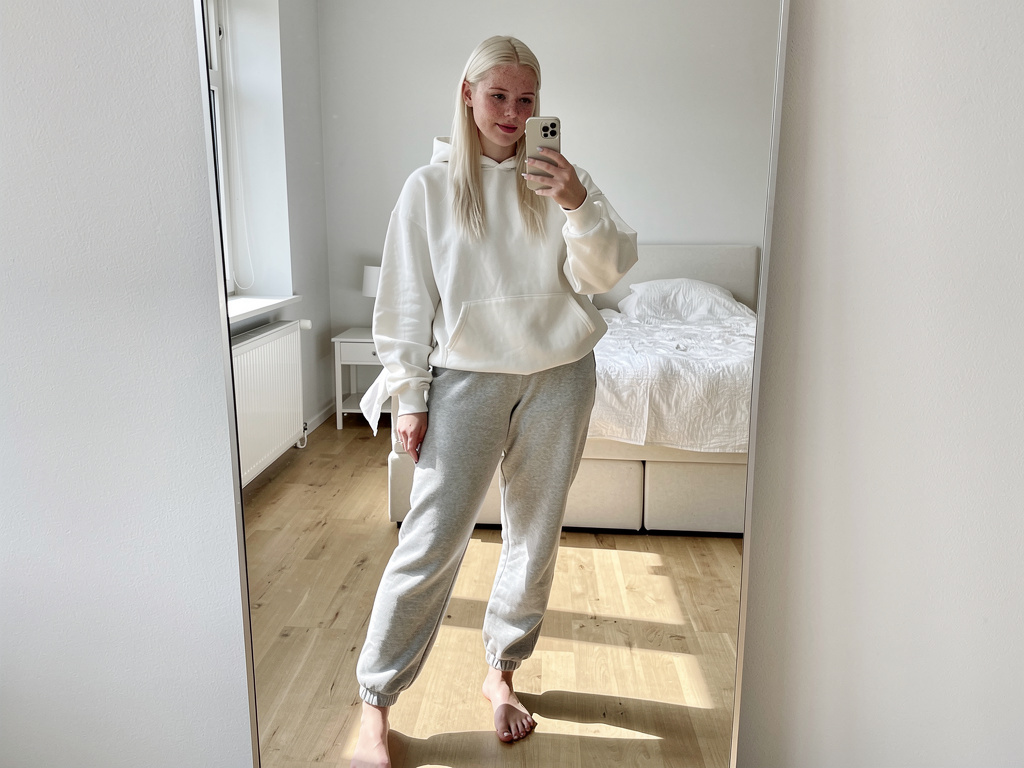


- Teddy bear / Hello Kitty rule – No stuffed animals, kids toys, or children’s bedding in the background, ever
- School uniforms & classroom scenes – No plaid skirts, ties, desks, or “punishment” roleplay
- Baby face filters or LoRAs – Big anime eyes, super-smooth skin, or childlike proportions = automatic underage flag, so be careful when you create AI model for Fanvue
- Flat-chested / petite traps – Even if tagged 18+, “no boobs” visuals trigger the test, often leading creators to panic
- Pigtails + lollipop combos – Classic red flag combo
Other Common Bans
- Public explicit content – Full nudity on streets, parks, or malls = banned (private beach or hotel is fine)
- Unverified real people – Any human hand/face in the shot must complete KYC to verify Fanvue account identity
- Celebrity deepfakes / copyright – Mimicking real people without permission = removal + ban risk, proving that is AI OnlyFans legit only when content is original
- Fraud / self-referrals – Fake accounts or chargeback scams = permanent ban + frozen funds, leaving you no choice but to seek Fanvue alternatives
Violation path: Warning → content removal → temporary suspension → permanent ban + all earnings lost
One teddy bear in the background has ended $20k+ accounts. Follow strict Fanvue tips to ensure this never happens to you.
Next: The exact 48-hour recovery plan if you’re already hit. Advanced recovery strategies are essential components of any good AI OnlyFans course.
Check your last 50 uploads now – delete anything close to these traps so you can safely continue to get Fanvue likes and grow.
Join 500+ creators in AI Model Factory – your no-BS Skool playbook for faceless riches.
What's Inside (Proven System):
- IG Growth Hacks: Viral reels with 550k+ views, DM funnels, ban-proof posting.
- AI Images/Videos Mastery: Create stunning influencers in hours using free tools (no Photoshop needed).
- ComfyUI Guide: Step-by-step setup + prompts for consistent, hyper-real models (beginner-friendly).
- Fanvue Guide: Launch, verify AI accounts, PPV pricing, chatting masterclass.
Real students hit $5k week 1
Learn More →
3. What to Do If You’re Banned (The 48-Hour Recovery Plan)
Act fast – most suspensions lift in 24–72 hours if you fix it right.
Step 1: Don’t Panic – Confirm and Document
- Screenshot everything: Error messages, emails, flagged content.
- Try logging in from incognito or another device – sometimes it’s a glitch.
Step 2: Delete the Problem Content Immediately
- Log in (if possible) → Media → Delete teddy bears, baby faces, uniforms, etc.
- Bulk delete risky posts – empty trash.
- Upload 20–30 safe replacements (adult lingerie, no props).
Step 3: Contact Support with Proof (Copy-Paste Email)
Email trust&safety@fanvue.com or support@fanvue.com:
Subject: Urgent Account Restriction Appeal – Content Fixed
Hi Trust & Safety Team,
My account [@username] is restricted (ticket # if any). I’ve reviewed the guidelines and deleted all flagged content (screenshots attached). I’ve uploaded compliant replacements.
This was an oversight – I’m committed to Fanvue rules. Please review and restore access.
Thanks,
[Your Name]
[Email/Phone]
Attach: Screenshots of deletions + new safe content.
Step 4: Wait and Follow Up
- Response: 24–72 hours (escalate to [email protected] if no reply).
- If permanent: Appeal once more with legal proof (e.g., AI prompts showing adult intent). Recovery rate: 70% for first offenses.
Funds frozen? They release post-review if clean.
4. How to Prevent Getting Banned Forever (AI Creator Safety Checklist)
Fanvue is built for AI creators, meaning it has a much lower ban risk than other platforms, confirming that many find that running an AI operation here shows that is AI OFM profitable. However, even on Fanvue, compliance is mandatory if you want to avoid unsubscribing from Fanvue users who leave due to frozen content or account issues.
Top AI creators run 10+ accounts ban-free by following these exact rules. These rules are crucial for maintaining an active account and successful AI OFM promotion.
Content Rules
- Age-proof everything: Prompt for a “hyper-realistic 25-year-old woman, mature features, full curves”—no baby faces/flat chests.
- No minor props: Zero teddy bears, Hello Kitty, school uniforms, lollipops, or pigtails in sexy shots.
- Safe settings: Home/hotel/beach only—no public explicit.
- Disclose AI: Bio must state: “100% AI-generated, 18+ fantasy”. If you are creating high-value explicit content, this disclosure is necessary even when making Fanvue NSFW content.
Account Habits
- Request payout at $100 (this triggers an early review and allows you to fix small issues).
- Audit weekly: Search your posts for flags.
- Use official tools: Pykaso/Cling for compliant AI.
- No fakes: Verify co-creators and avoid celeb deepfakes.
Follow this guide and your ban risk will drop to zero, helping you focus on getting more Fanvue fans.
Conclusion
A Fanvue ban feels like the end, but it’s usually a quick fix if you catch it fast.
Watch for review notifications, payout holds, or login blocks. Common triggers: Teddy bears, baby faces, flat chests, or public nudes – all flagged by the Reasonable Person’s Test. You must be very careful when making Fanvue NSFW content to ensure your images never look like they break these age-safety rules.
Delete risky content, email support with proof, and you’re back in 48 hours 70% of the time.
Prevent it: Age-proof prompts, no minor props, early payouts at $100, weekly audits. You can also grow safely by learning how Fanvue My AI works to chat with fans and keep your profile professional.
Fanvue wants you earning – not banned. Stay compliant and hit $30k+/month risk-free. One reason why is AI OFM profitable for so many people is that it allows you to make a huge income as long as you keep your account in good standing.
Check your dashboard now. If it’s clean, keep grinding. If not, fix it today.