 Instagram
I have to be honest with you—I just stumbled upon the fanvue affiliate program recently, and my mind is a little blown.
If you are anything like me, you are probably always looking for new ways to build passive income streams online. I was researching different ways creators make money, and I kept seeing the name "Fanvue" pop up. It is a subscription platform similar to OnlyFans, but with a massive twist: it is built heavily around AI tools and is growing extremely fast.

But here is what really caught my attention: you do not even have to be a content creator selling subscriptions to make serious money on this platform. You can simply act as a marketer.
As I dug deeper into the fanvue affiliate program, I realized that people googling this want the real, no-BS answers. How much money can you actually make? Where do you find your links? How do you get paid?
I decided to write everything down as I discovered it. Here is my complete, simple, and highly skimmable guide to earning money with Fanvue without having to sell your own content.
Wait, There Are Actually TWO Different Programs!
The very first thing I discovered is that Fanvue splits its earning opportunities into two different sides. If you want to make money promoting Fanvue, you need to understand the difference:
- The Creator Referral Scheme: This is where you invite brand new creators to sign up and start their own Fanvue pages.
- The Creator Affiliate Programme: This is where you promote the content of existing Fanvue creators to fans who want to buy their subscriptions or pay-per-view (PPV) content.
Both are incredibly lucrative, but they work in completely different ways.
How Much Money Can You Make?
Let's get right to the point. The people searching for the fanvue affiliate program want to know about the cash. Here is the exact breakdown of your earning potential.
If you refer new creators (Referral Scheme):
- You earn a 5% commission on all the Fan Payments that your referred creator makes.
- This commission lasts for a full 36 months after they register.
- The absolute maximum you can earn per creator is capped at $50,000 USD.
- Bonus Money: Fanvue frequently runs limited-time promos. For example, in January 2026, they offered a flat $500 cash bonus if the creator you referred passed ID verification and earned their first $500 within their first 30 days.
If you promote existing creators (Affiliate Programme):
- The creator you are promoting gets to set the commission rate, which can be anywhere up to 50% of their net earnings.
- You earn a cut on everything the fan buys: monthly subscriptions, renewals, and even one-off PPV content purchases.
- This also lasts for 36 months, capped at $50,000 USD per creator you promote.
- You can act as an affiliate for up to 5 different promoted creators at the exact same time.
How Do Users Join the Affiliate Program?
Joining is actually incredibly straightforward once you have a verified Fanvue account.
To join as an Affiliate (Promoting content):
- Log into your Fanvue account and head to your Affiliate Dashboard.
- Browse through the "Affiliate Offers" that other creators have publicly listed on their profiles.
- When you find a creator with a good commission rate (like 20% or 50%), you simply click to Accept their offer.
- Once accepted, Fanvue instantly generates your unique affiliate link to start sharing.
To join the Referral Scheme (Inviting creators): You don't even need to browse offers for this one. Every verified creator account automatically has access to a referral link.
Where is My Referral Link & How Do I Invite People?
I was clicking around trying to find where they hide this stuff. Here is exactly where to look:
VIDEO TUTORIAL:
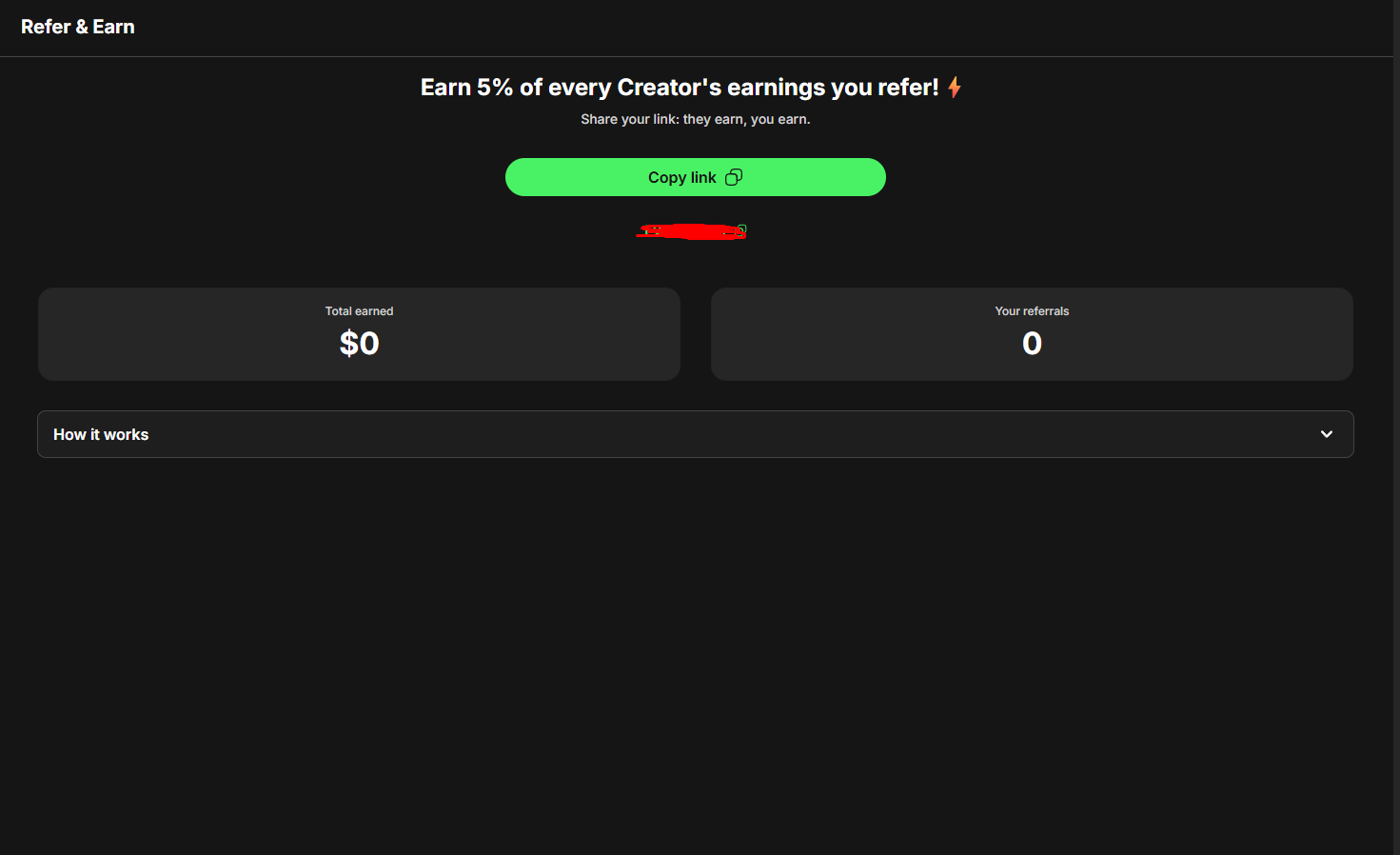
For referring new creators:
- Log into your Fanvue account.
- Navigate to the menu in the bottom left of your screen.
- Click on the button that says 'Refer & earn'.
- Copy your unique referral URL and send it to your friends or post it online.
For promoting existing creators (Affiliates):
- Go to your Affiliate Dashboard.
- Under your accepted offers, you will see a button to Copy Links.
How Do I Get Paid as an Affiliate?
You did the work, you got the clicks, now how do you get your money?
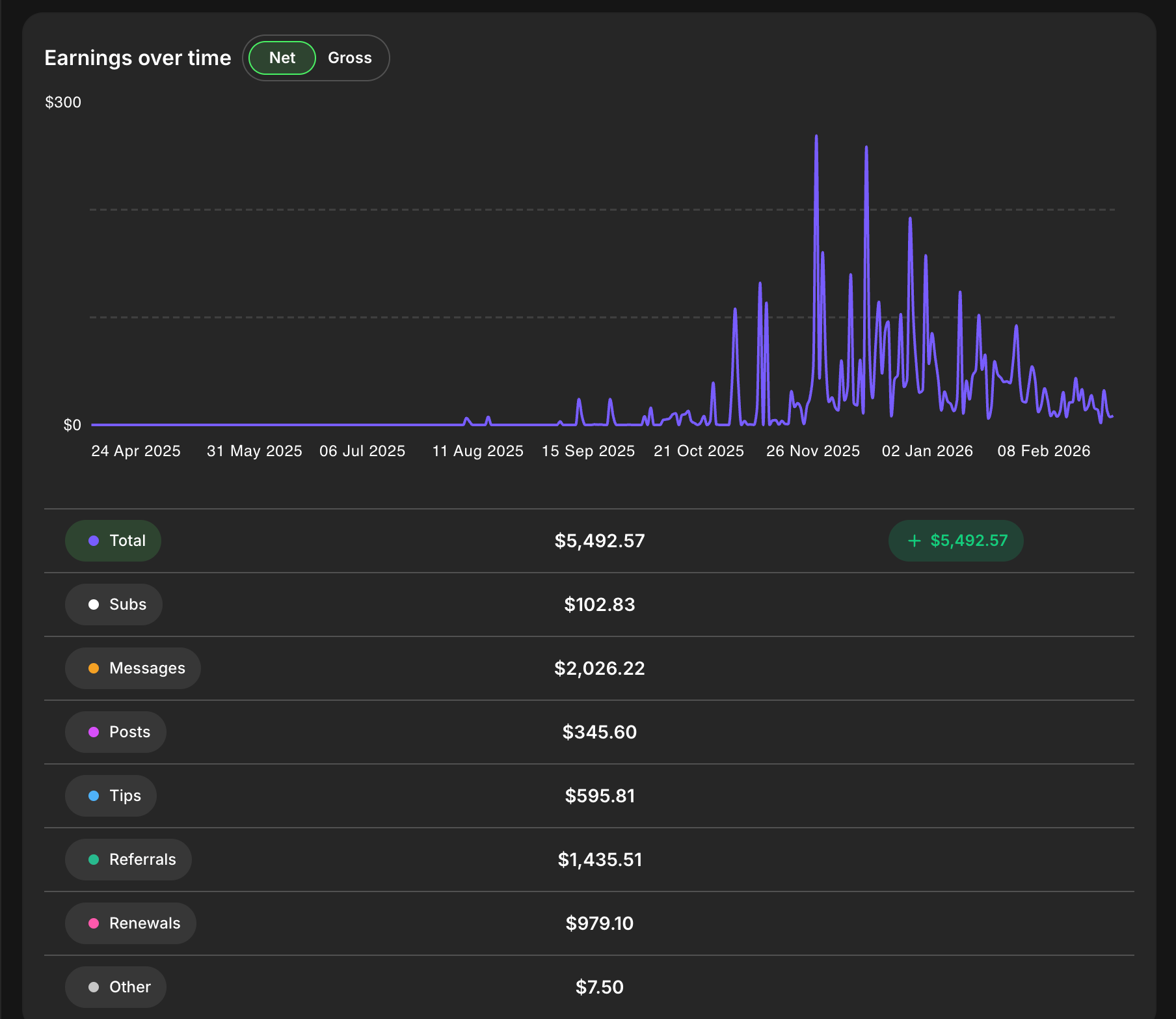
When you earn money through the Creator Affiliate Programme, it will show up in your "Creative User Balance" under a specific category labeled "AFFILIATION". If you refer new creators, it will be labeled "REFERRAL".
Here is the catch you need to know about:
- The 28-Day Rule: Affiliate earnings are processed after a 28-day pending period. This is a standard holding period to protect against chargebacks and refunds.
- Payouts: Once the funds clear the pending period, they move to your available balance. Fanvue processes payout requests very quickly—usually hitting your chosen payout method within 3 to 7 business days.
- No Extra Fees: Fanvue does not take an extra platform fee out of your affiliate or referral commissions. The amount you see is the amount you get!
How Can I Best Promote My Affiliate Code?
This is the holy grail. Having a link is useless if nobody clicks it. From my deep dive into how top creators and marketers are crushing it on Fanvue, here are the absolute best ways to promote your links.
1. Use a "Link in Bio" Tool
Never put your raw Fanvue link directly into your Instagram or TikTok bio! Social media platforms hate direct links to subscription sites. Instead, use a tool like Linktree, Beacons, or AllMyLinks. Put your Fanvue affiliate link at the very top of that landing page so it's the first thing people see when you become Fanvue Ambassador to earn your lifetime commissions.
2. The X (Twitter) Retweet Strategy
Twitter (X) is incredibly friendly to adult and AI content. Top marketers join "Retweet Groups". They post a highly engaging photo or teaser video, and then place their affiliate link in the comments or as a pinned tweet on their profile. By interacting with viral posts and dropping witty comments, you draw curious eyes back to your profile, where your affiliate link is waiting. If you are taking an AI OnlyFans course to learn marketing, you will see how powerful a Fanvue like for like strategy can be to get your first likes fast.
3. Instagram Reels & Stories
Instagram is a massive traffic engine. The strategy here is to post Reels (short, 15-second videos) using trending sounds. You don't sell in the video; you create a "curiosity gap". Add text on the screen that says something like, "Wait for it... full version at the link in my bio 👀". Use your Instagram Stories daily. Add a clickable "Link Sticker" to your stories so fans can swipe directly to the Fanvue page you are promoting. Learning how to use Fanvue correctly is the secret to getting your first sub on Fanvue quickly using this traffic.
4. Reddit Niche Marketing
Reddit has a community (subreddit) for literally everything. Find 5-8 subreddits that perfectly match the niche of the creator you are promoting. Post high-quality images with simple, non-spammy captions. Do not spam your affiliate link in the post! Place the link in your Reddit profile bio. Curious users will click your profile and find your link naturally. This is especially useful if you create AI model for Fanvue, as you can easily fit into very specific and highly profitable Reddit niches.
5. Share Fanvue's "Paid Media Links"
Fanvue has a cool feature called Paid Media Links. These allow you to share a specific, locked piece of content on platforms like Discord, Telegram, or X. Fans don't even need a Fanvue account to buy it—they can just use Apple Pay or Google Pay to unlock it. Sharing these specific locked links can dramatically boost impulse buys! When fans see how easy and secure it is, they quickly realize is Fanvue legit and feel much safer spending their money.
⚠️ The Golden Rules of Promotion (Don't Get Banned!)
Before you start spamming links everywhere, I discovered some strict rules Fanvue enforces:
- Disclose Your Ads: If you are promoting an affiliate link, you must follow advertising laws. Always use tags like
#ador#sponsoredso people know you are earning a commission. - No Paid Search Ads: You are strictly prohibited from running Google Ads or other paid search campaigns using your referral links unless you get written permission from Fanvue first.
- No Self-Referrals: Don't try to refer yourself or create duplicate accounts to earn double the money. They will catch you and ban you.
Final Thoughts on the Fanvue Affiliate Program
After diving down this rabbit hole, I can honestly say the fanvue affiliate program feels like a massive, untapped opportunity.
Whether you want to hunt down the best new AI creators and invite them to the platform for a 5% residual cut, or you want to build a massive Twitter audience and take up to a 50% cut by promoting top models, the tools are completely baked into the platform.
The fact that you can earn up to $50,000 per creator you refer or promote makes this one of the most generous affiliate schemes I've seen in the creator economy.
If you are ready to start, log into your account, grab your links from the dashboard, and start building your traffic funnel today. I know I'm going to start testing some Instagram Reels right away!